
What's the easiest way to test a regex without installing anything on my work laptop
Testing a regex on your work laptop shouldn't require installing a regex tool or firing up a language runtime. A browser-based tester gives you the live feedback loop in seconds.
Test a regex in three steps
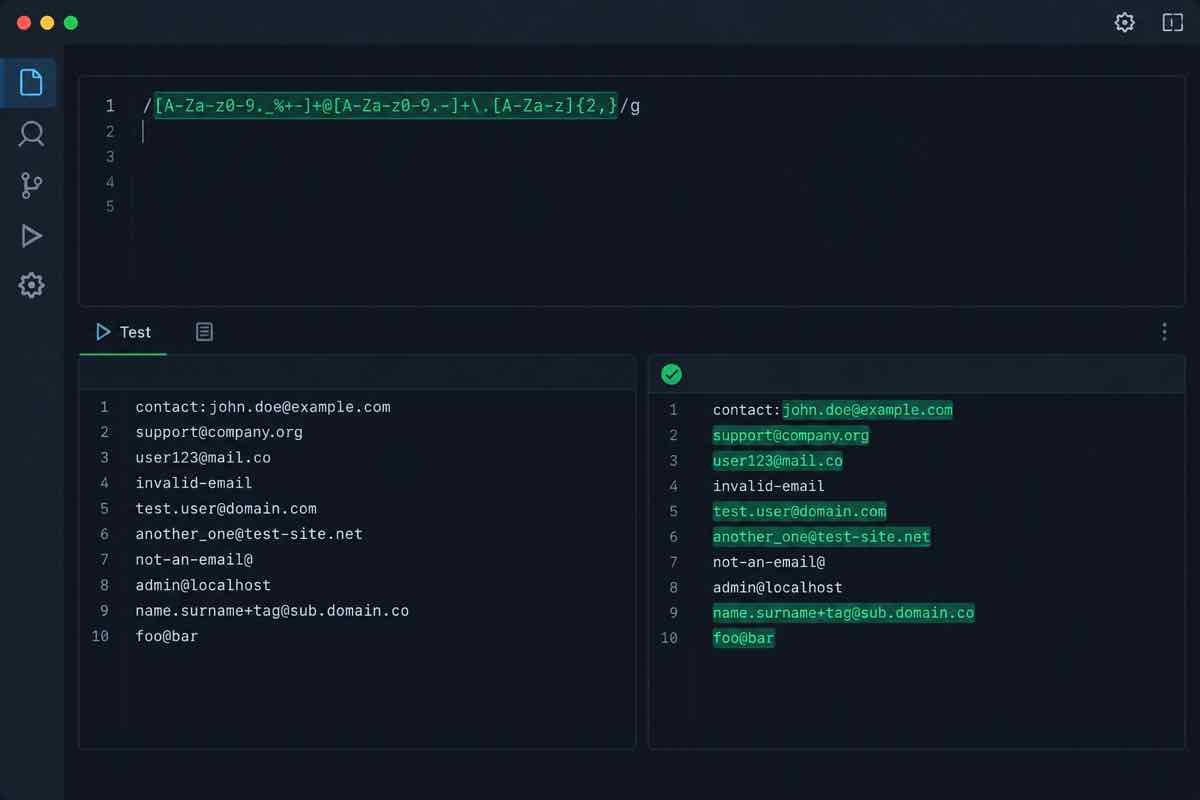
Paste your pattern, paste a test string, and watch the highlights update as you type. Check the capture groups panel, switch the flavor to match your runtime, and add edge-case strings to the test list.
Regex testing: common questions
FAQ
What's the easiest way to test a regex without installing anything?
Use an online regex tester in the browser. You get the pattern, a test string, and instant highlighting of matches—no install, no environment setup.
Which regex flavors do online testers support?
Most support PCRE, ECMAScript (JavaScript), and sometimes Python and Go. Pick the flavor that matches your runtime, because behavior differs between engines.
How do I know if my regex matches correctly?
Look at three things: which parts highlight (the match), the capture groups shown separately, and the flags applied. A good tester shows all three live.
What should I test beyond the happy path?
Edge cases: empty strings, whitespace, uppercase vs lowercase, unicode, and strings that almost match. Testers with a test-case list make this easy to repeat.
Can I test without pasting the pattern repeatedly?
Yes, if the tool keeps your pattern and test strings in one view, you can iterate live—edit the pattern, watch the matches update.
Open regextoolbox and test patterns across multiple flavors with live highlighting—no install, no setup.
